# Academic Marp (acarp) Theme
 A minimal theme for Marp presentations designed for academic content.
Has a CSS grid (2 columns) for easily showing text alongside figures.
Two aspect ratios: 16:9 (standard) and 4:3 (beamer style).
## Quick Start
### Install
```bash
npm install
```
### Build Examples
```bash
# Using just (recommended)
just demo # Build both demo presentations
just build slides.md # or use `just pdf slides.md` (requires chrome/chromium)
# Using npx directly
npx marp --config .marprc.json --html demo-standard.md
npx marp --config .marprc.json --html demo-beamer.md
# Export to PDF
npx marp --config .marprc.json --pdf demo-standard.md
```
## Example Slide
A minimal theme for Marp presentations designed for academic content.
Has a CSS grid (2 columns) for easily showing text alongside figures.
Two aspect ratios: 16:9 (standard) and 4:3 (beamer style).
## Quick Start
### Install
```bash
npm install
```
### Build Examples
```bash
# Using just (recommended)
just demo # Build both demo presentations
just build slides.md # or use `just pdf slides.md` (requires chrome/chromium)
# Using npx directly
npx marp --config .marprc.json --html demo-standard.md
npx marp --config .marprc.json --html demo-beamer.md
# Export to PDF
npx marp --config .marprc.json --pdf demo-standard.md
```
## Example Slide
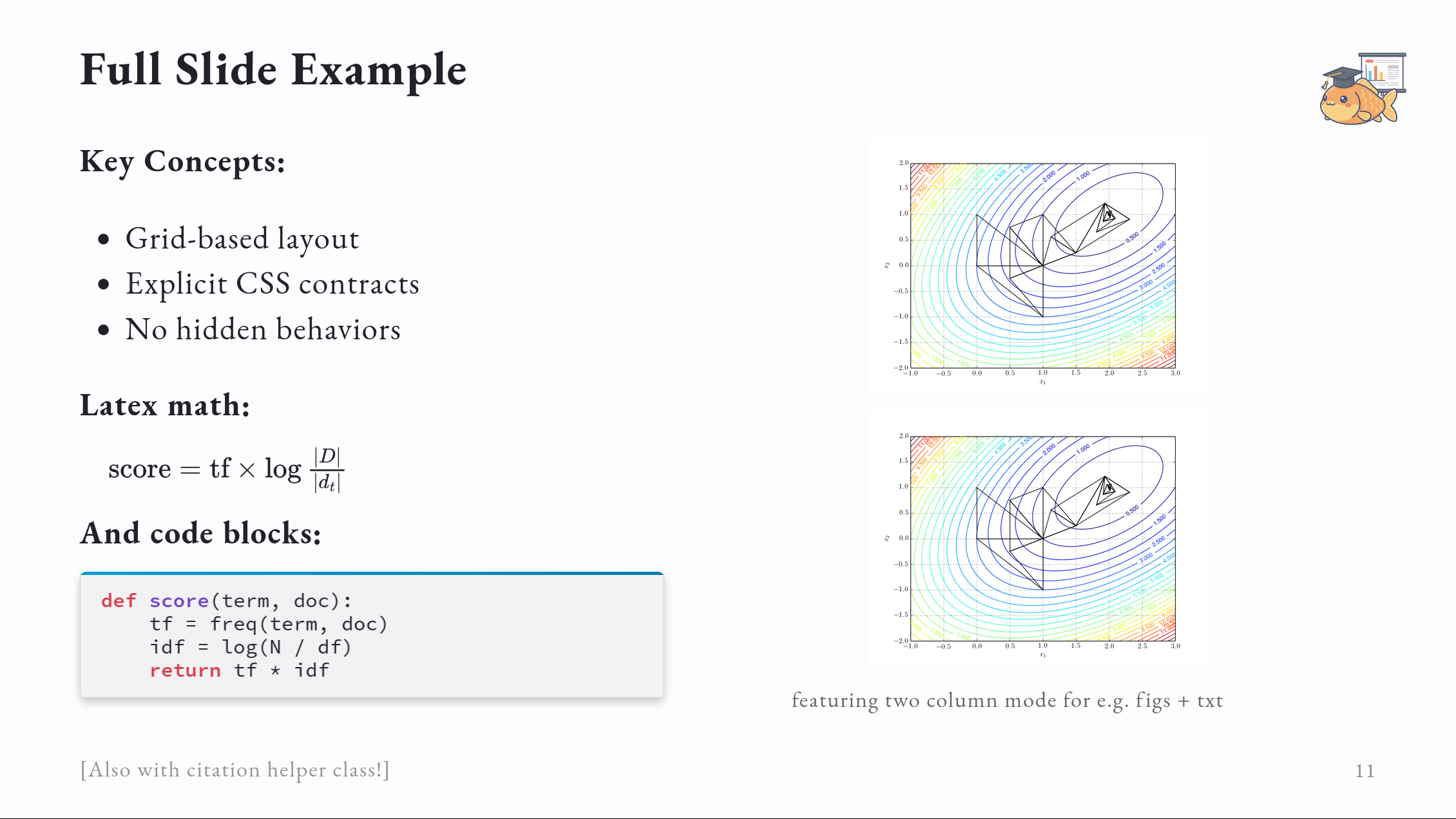 *See the "Full Slide Example" in demo-standard.md for the source code.*
## Available Layouts
### `title` - Cover Slide
```markdown
---
# Presentation Title
## Subtitle or Author
```
### `layout-2col` - Two Columns
```markdown
---
### Slide Title
*See the "Full Slide Example" in demo-standard.md for the source code.*
## Available Layouts
### `title` - Cover Slide
```markdown
---
# Presentation Title
## Subtitle or Author
```
### `layout-2col` - Two Columns
```markdown
---
### Slide Title
Text content

```
### `highlight-left` / `highlight-right` - Column Emphasis
```markdown
---
Normal opacity
Faded out
```
Dims the other column of `layout-2col` / `layout-2col-center`. Use across slides to build up a comparison.
### `cite` - Citation/Attribution
```markdown
---
### Slide Title
Your content here
[Author et al., Year]
```
### Default - Single Column
```markdown
---
### Slide Title
Your content here
```
## Common Patterns
### Code + Output
```markdown
---
### Python Example
```python
def hello(name):
return f"Hello {name}"
```
```
>>> hello("World")
'Hello World'
```
```
### Vertical Spacing
```html
```
### Horizontal Offset
```html
indented text
```
## Themes
## Customization
### Theme Variables
Edit `acarp.css` to modify colors, fonts, spacing:
```css
:root {
--slide-width: 1280px;
--slide-height: 720px;
--padding: 70px;
--color-background: #fdfcff;
--color-foreground: #202228;
--color-highlight: #009dd5;
}
```
For beamer-specific overrides, edit `acarp-beamer.css`.
### Font Size Customization
You can override font sizes in your markdown frontmatter:
```yaml
---
marp: true
theme: acarp
style: |
section {
font-size: 32px !important; /* Larger base font */
}
h1 { font-size: 2.5em !important; } /* Larger headings */
---
```
### Logo Placement
Add a logo to the top-right corner using CSS variables in your frontmatter:
```yaml
---
marp: true
theme: acarp
style: |
:root {
--logo-image: url('logo.png');
--logo-width: 120px;
--logo-height: 50px;
--logo-top: 20px;
--logo-right: 20px;
--logo-opacity: 0.8;
}
---
```
**Logo Variables:**
- `--logo-image`: Path to your logo file
- `--logo-width`: Logo width (default: 100px)
- `--logo-height`: Logo height (default: 40px)
- `--logo-top`: Distance from top (default: 20px)
- `--logo-right`: Distance from right (default: 20px)
- `--logo-opacity`: Transparency (0-1, default: 0.7)
The logo appears on all slides except the title slide.
## Using in Another Project
Copy these files:
- `acarp.css` & `acarp-beamer.css` (themes)
- `.marprc.json` (config)
Then:
```bash
npm install -g @marp-team/marp-cli
marp --config .marprc.json your-file.md
```
Or clone this repo and `just new my-talk`
## All Commands
```bash
just build # Build HTML
just watch # Watch and auto-rebuild
just pdf # Export to PDF
just new # Create new presentation
just clean # Remove output files
just cleanup # Clean everything including node_modules
just demo # Build demo presentations
just help # Show all commands
```
## Notes
- Images: ``
- Math: `$$...$$` for display, `$...$` for inline
- Code blocks: Use ` ``` ` (automatic syntax highlighting)
- PDF/PPTX export requires Chrome or Chromium