
diff options
| author | lukeflo | 2025-07-07 15:17:19 +0200 |
|---|---|---|
| committer | lukeflo | 2025-07-07 15:17:19 +0200 |
| commit | d55cfd8617410545335aeaf895120044c46dde45 (patch) | |
| tree | bb4a41d32a3715610b8429047a12ec9a6540ee08 /README.md | |
| parent | 2e4ae7a05a73cb1df63343e14fbb8a5fd3c7bf41 (diff) | |
| parent | c0970da999e222cadbcc2242fb67686ed5b00ca4 (diff) | |
| download | bibiman-d55cfd8617410545335aeaf895120044c46dde45.tar.gz bibiman-d55cfd8617410545335aeaf895120044c46dde45.zip | |
Merge pull request 'bibnotes' (#49) from bibnotes into main
- connect bibentries with notes through citekey<>basename matching
- use multiple file extensions for note files (plain-text heavily recommended)
- create notes for bibentries inside notes dir
- use custom symbols as marker for files/links/notes attached to a bibentry
Diffstat (limited to 'README.md')
| -rw-r--r-- | README.md | 75 |
1 files changed, 63 insertions, 12 deletions
@@ -30,6 +30,7 @@ - [Search](#search) - [Edit bib entry](#edit-bib-entry) - [Open connected files or links](#open-connected-files-or-links) + - [Note file creation](#note-file-creation) - [Issues and code improvement](#issues-and-code-improvement) - [Alternatives](#alternatives) - [Comparison](#comparison) @@ -45,6 +46,8 @@ Here's a small impression how it looks and works: [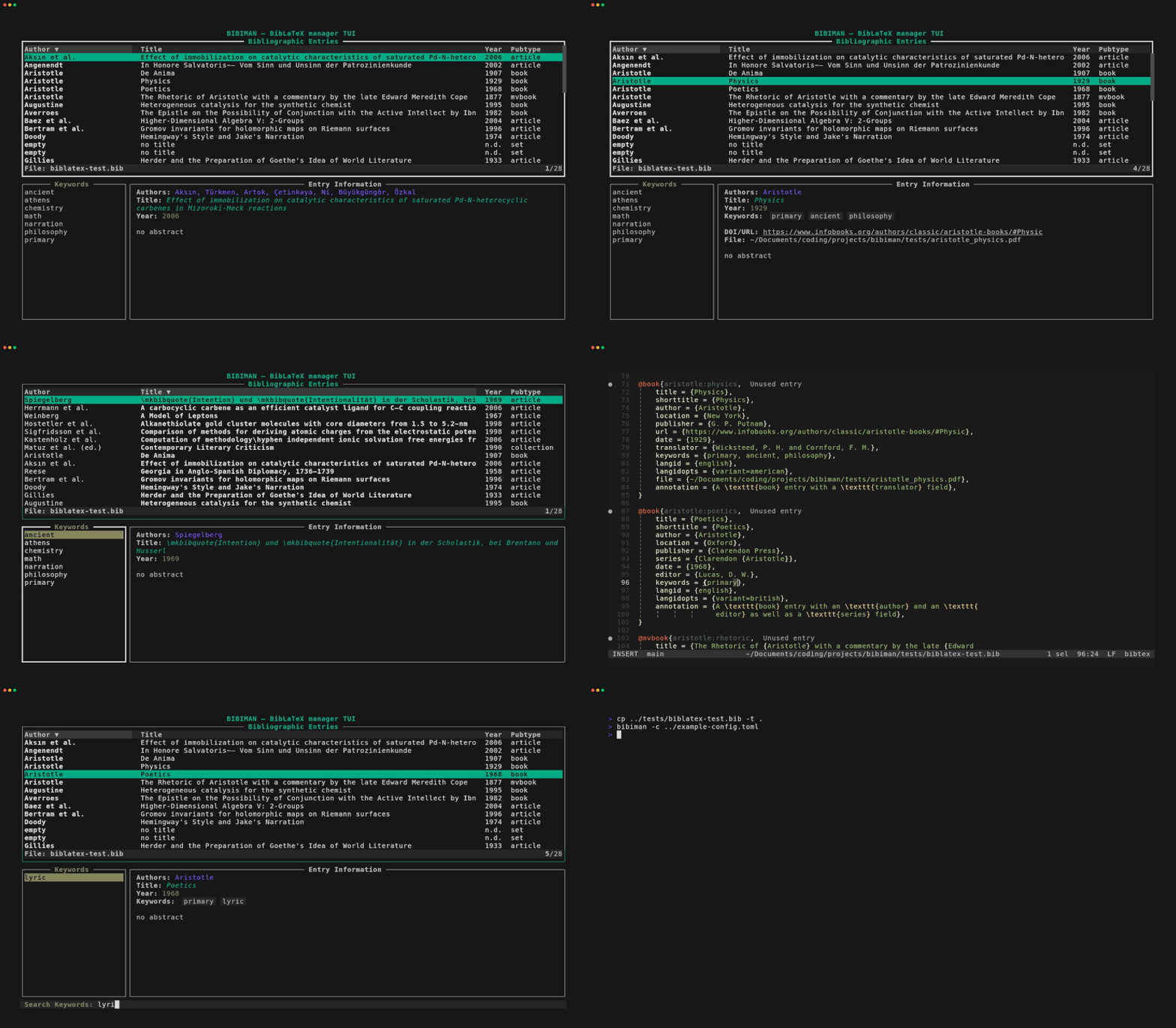](https://postimg.cc/ct0W0mK4) + + ## Installation<a name="installation"></a> ### Crates.io<a name="cratesio"></a> @@ -191,6 +194,8 @@ set through the CLI, `bibiman` will offer to create a default config file at the standard location. This will very likely happen on the first run of `bibiman` after installation. If rejected, you probably will be asked again next time. +The created config contains all values which are set as default by `bibiman`. + ### General Configuration<a name="general-configuration"></a> The following general values can be set through the config file: @@ -200,19 +205,35 @@ The following general values can be set through the config file: # Default files/dirs which are loaded on startup # Use absolute paths (~ for HOME works). Otherwise, loading might not work. bibfiles = [ "/path/to/bibfile", "path/to/dir/with/bibfiles" ] + # Default editor to use when editing files. Arguments are possible editor = "vim" # with args: "vim -y" + # Default app to open PDFs/Epubs pdf_opener = "xdg-open" + # Default app to open URLs/DOIs url_opener = "xdg-open" + # Prefix which is prepended to the filepath from the `file` field # Use absolute paths (~ for HOME works). Otherwise, loading might not work. file_prefix = "/some/path/prefix" + # Path to folder (with subfolders) containing PDF files with the basename # of the format "citekey.pdf". Other PDF basenames are not accepted. # Use absolute paths (~ for HOME works). Otherwise, loading might not work. pdf_path = "/path/to/pdf-folder" + +## Path to folder (with subfolders) containing note files with the basename of +## the format "citekey.extension". Other basenames are not accepted. The possible +## extensions can be set through the "note_extensions" array. +note_path = "path/to/note-files" +note_extensions = [ "md", "txt" ] + +## Symbols/chars to show if not has specific attachement +file_symbol = " " +link_symbol = " " +note_symbol = "" ``` `bibfiles` @@ -246,13 +267,14 @@ pdf_path = "/path/to/pdf-folder" created through the `pdf_path` variable. Thus, it is safe to mix both approaches if wanted! -`pdf_path` +`pdf_path` and `note_path` -: The `pdf_path` is used as path wich is recursivley searched for files which - basename consists of the an entrys `citekey` plus a `.pdf` ending - (case-insensitive). Every file which matches this pattern for an existing - `citekey` is associated with the particular entry for the current `bibiman` - session and can be opened from within. +: The `pdf_path`/`note_path` is used as path wich is recursivley searched for + files which basename consists of the an entrys `citekey` plus a `.pdf` ending + or one of the specified note endinfs (case-insensitive). Every file which + matches this pattern for an existing `citekey` is associated with the + particular entry for the current `bibiman` session and can be opened from + within. ### Color Configuration<a name="color-configuration"></a> @@ -270,8 +292,15 @@ info_color = "99" confirm_color = "47" warn_color = "124" bar_bg_color = "234" +popup_fg_color = "43" popup_bg_color = "234" selected_row_bg_color = "237" +note_color = "123" +file_color = "209" +link_color = "27" +author_color = "38" +title_color = "37" +year_color = "135" ``` Colors can be set through three different methods: @@ -309,7 +338,8 @@ These are the current features, the list will be updated: - [x] **Add Entry via DOI**. - [x] **Implement config file** for setting some default values like main bibfile, PDF-opener, or editor -- [ ] **Open related notes file** for specific entry. +- [x] **Open related notes file** for specific entry. +- [x] **Create note file** for bib entries. - [ ] **Support Hayagriva(`.yaml`)** format as input (_on hold for now_, because the Hayagriva Yaml style doesn't offer keywords; s. issue in [Hayagriva repo](https://github.com/typst/hayagriva/issues/240)). @@ -335,6 +365,7 @@ Use the following keybindings to manage the TUI: | `e` | Open editor at selected entry | | `a` | Add entry through DOI | | `o` | Open related PDF or URL/DOI | +| `n` | Create new note file for selected entry | | `TAB` | Switch between entries and keywords | | `/`, `Ctrl-f` | Enter search mode | | `Enter` | Filter by selected keyword / Confirm search or selection | @@ -346,7 +377,8 @@ Use the following keybindings to manage the TUI: There are some shortcuts to select an item from the opening/yanking popup without navigating the list: -- `o-o`|`o-l`: directly opens the first file/link for the selected entry. +- `o-o`|`o-l`|`o-n`: directly opens the first file|link|note for the selected + entry. - `y-y`: directly yanks the citekey of the selected entry to the clipboard. ## Search<a name="search"></a> @@ -384,12 +416,12 @@ thus, there might be unexpected errors with it. ## Open connected files or links<a name="open-connected-files-or-links"></a> -`bibiman` also provides the possibility to open PDFs (as value of the `file` -BibLaTeX field), as well as DOIs and URLs. +`bibiman` also provides the possibility to open PDFs , note files, as well as +DOIs and URLs connected with the different entries of the bibfile. For selecting the right program, it uses `xdg-open` on Linux, `open` on MacOS, -and `start` on Windows. Thanks to the report from @bastislack in #2 MacOS seems -to work. +and `start` on Windows by default. Thanks to the report from @bastislack in #2 +MacOS seems to work. _However, Windows does not work. Have to figure this out. Reports from some Windows users are very welcome._ @@ -398,6 +430,25 @@ Furthermore, DOIs have to begin with either `https://doi...` as full URL or `10.(...)` as regular DOI style. URLs work if they begin with either `http...` or with `www...`. +## Note file creation<a name="note-file-creation"></a> + +It is possible to create notes for an entry missing such a file. The `note_path` +and `note_extensions` values need to be set in the config file or it will fail. + +The notes basename is *always* the citekey of the selected entry and the +directory is set to the value of the `note_path` variable. The extension can be +choosen from one of the file format extension set in the `note_extensions` +array. + +**Be aware**: The operation of creating new notes is not permitted if the +citekey contains some special chars which could cause problems with Unixish +shell commands and file operations. Currently, the following chars are not +allowed as part of the citekey: `/` | `|` | `#` | `*` | `\` | `"` | `'` | `;` | +`!` + +The bibfile itself will *not be edited*. Therefore, you can't break anything in +your bibfile with this operation! + ## Issues and code improvement<a name="issues-and-code-improvement"></a> This is my first Rust project and, thus, also a learning process. If you find |